Showing posts with label Note. Show all posts

Thursday, April 18, 2013

Some news!

 I am sorry about the delay, I have been working hard the last two weeks on a project that involves objects and accessories for poses to use in my story that will be released soon enough, I still have fixing and tweakings to do.

 After a short stay in the hospital however I decided to take a bit longer to rest and recover, so I might take some time to actually play, as I haven't been able to for months! But no worries, I will finish my current project, publish chapter 4 around the same time and then I have another one for Kiddo.

< To everything there is a season, and a time to every purpose under heaven >

Now here is something I actually REALLY look forward to!


Thank you EA!!!

Friday, March 15, 2013

A bit of history

 When I joined TSR in 2009, I actually registered under a random name. Back then I really liked the name Killian, which is actually a french male name. Don't ask me why, I modified it a bit and made it mine.

 I left my sims game for a few years, and when I came back I decided to create. I had the choice of keeping my old account or create a new one, but I chose to stick with Kilhian. But it was still just a name, until I read in a decorating tutorial a tip about making a sim with your creator name. You pick up rocks, insects and what not to further personalize houses before sharing them.

 I had made a few houses for the Sims 1 and thought it was some nice thing to do, so Kilhian was born as a sim. She started on her own and without cheat on October 2011 as I was just starting playing the Sims 3. I only had the base game, so she had to do with a small EA starter house in Sunset Valley for a while.

 Back then I took those screenshots for my boyfriend. We are now living together, but I am glad I got all those, they are still very good memories. The quality of screenshots improves along the way :)


Monday, February 25, 2013

I'm not dead!

 I am actually very much busy, still reinstalling my game.
I haven't touched the actual installation of packs which is fine, but I removed the EA folder from My Documents to create a new one, and I re-added all store and CC items. I am still suck at the CC part. I currently added something like 4000 files, and I am not even half way through the folder where I keep the compressed files I get. At some point I realized I would get out of space on C before I would even be done, made a quick research on how to fic the problem and learned how to move My Documents on another partition.
I am trying not to lose track, but I keep getting distracted by shiny new downloads, and it keeps adding! I am also finding out some nice stuff I had downloaded and never added to my game. Like I said, easily distracted...

 Let's mix some new stuff with the old to make it all better~


Sunday, February 17, 2013

Update for french speakers


 As if I wasn't busy enough I intend to try and update the french blog. Basically it's just a translated version of this one. I stopped because you could use the translating tool here, but the result was so approximative it wasn't even close to it. For more details about it you can read what I wrote there. I also brought back the direct link in the menu.

A bientôt!
Kilhian

Thursday, November 29, 2012

Sunday, March 11, 2012

March 2012: Current projects related to the Sims 3

 As I mentioned before I have a couple of projects I want to work on, but for now I am not playing the game again due to lack of time, so anything related to creation will have to wait a bit more. Instead, I have noticed while browsing my newsfeed on Facebook that some people still have problems with their CC.

Thank you for being my friend on Social Networks!

 After being away for three months, I came back and started an adding spree like when I first started, on both Facebook and Google+. It's not about the numbers, I am not even showing my friend list on Facebook so you cannot see how many friends I have, plus I know a lot of people have more than one account. I am mostly trying to let my work be known outside of TSR.

Wednesday, December 14, 2011

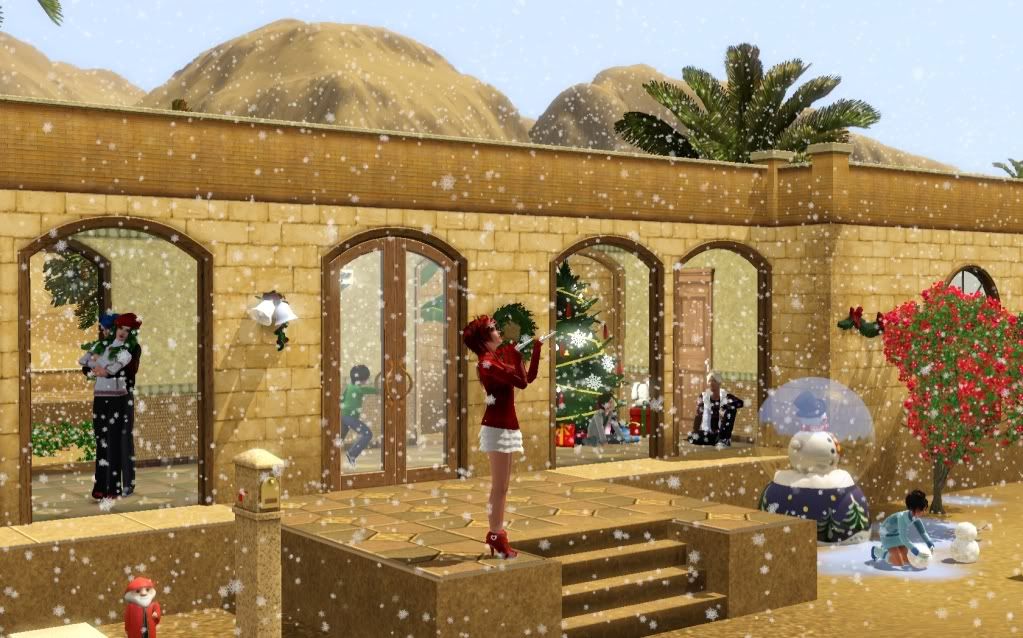
I decided to enter a Christmas contest!

Christmas contest Come and vote for the pictures you like!

 And so after several days working on the game, this is the picture I submitted!
There was no editing done (as a personal choice), after all I really like how the game can look if you are patient enough! Though sometimes it likes to play tricks on me :p


Tuesday, December 6, 2011

Today is my birthday!

 And so I do feel like rambling for once~

 Between the stress from my life and pushing myself too fast trying to learn more about creating for the Sims, it has been a bit tough lately. But Koku is always here to support me when I feel down and I very much appreciate it <3

Thursday, November 17, 2011

Welcome to my Lair

 First I would like to say that this is actually a very special day as it is Koku's birthday.
So happy birthday to you my dear, and thank you for your constant support in everything I do.

 I do not have much to offer for now, and I have a lot to learn before I can pretend being any good, but I hope you will find in my lair some 'treasures' worth anything to you. I have several projects that I would like to be able to accomplish, and hopefully one day I can look back and be proud of what I accomplished.

Thank you for joining me along the path~

How to install

Most of the time when possible I give you the possibility to install as either Sims3Pack or Package.
Pick up a format you rather use (poses can only be installed as Packages), and install it in your game:

If you use EA Launcher:

Sims3Packs
Place the .sims3pack file in your folder My Documents/Electronic Arts/The Sims 3/Downloads
Run the Launcher, click the Download panel on the left and select the files you want to install before pressing the Install button.
Note: You do not need to keep the file in this folder, it can be removed safely once installed and the Launcher/game is closed.

Packages
Place the .package file in your folder My Documents/Electronic Arts/The Sims 3/Mods/Packages
If you do not have or do not know how to set up the Mods folder, I wrote a tutorial here.
Note: If you have too many files in this folder you should consider merging them or it will make your game load and render slower. Aikea Guinea wrote a tutorial about it, see here.

If you use CC Magic:

This launcher manages both types, so you can place any .sims3pack and .package files you want in
My Documents/Electronic Arts/The Sims 3/Downloads
For those who don't know about it, you can find the installation here and a tutorial there.
Related Posts Plugin for WordPress, Blogger...