Those are the poses I have made for the second part of chapter 4 of my story. They are not always 'fully' worked as some were not intended for full
body shot (and most of the legs is hidden under the kotatsu), however they might be of some use to other people, and this is the third
one so far.
They are using the chopsticks and tea cups I have made. Also Severinka's kotatsu table and pillows.
Showing posts with label poses. Show all posts
Saturday, May 4, 2013
Friday, May 3, 2013
The Black Cat - Story Poses Part 2
Those are the poses I have made for the first part of chapter 4 of my story. They are not always 'fully' worked as some were not intended for full
body shot, however they might be of some use to other people, so I will
be releasing the third pack soon, and this is the second
one.
Labels:
Kilhian,
Litia,
Pose Adult,
Pose Female,
poses,
Poses Story
Tuesday, April 30, 2013
The Black Cat - Story Poses Part 1
Those are the poses I have made for my story. They are not always 'fully' worked as some were not intended for full body shot, however they might be of some use to other people, so I will be releasing the 3 packs I have been working on, and this is the first one.
Thursday, April 25, 2013
Tuesday, April 23, 2013
Gifts for my Tumblr opening
Crazy me... so I finally gave in and I will see how I feel about it after a while.
So anyway, I still have to fix my theme and replace the sidebar image but so far it doesn't look too bad. I will show you the poses, but the download links are on Tumblr, however you do not need to register or anything to get them.
Labels:
Gifts,
Pose Adult,
Pose Cat,
Pose Female,
Pose Pet,
Pose Toddler,
poses,
Tumblr
Wednesday, December 12, 2012
Christmas 2012 Pose Contest at Poses Realm - Creative Garden
Because we opened the group a bit more early than I first planned, I had to rush a 'bit' to prepare this contest, so the poses I have done to use as examples need a lot of fixing, and I hope you will forgive me for that! I promise I will do it before publishing a pack of contests poses, and we will take our time to prepare the next one!
Wednesday, November 28, 2012
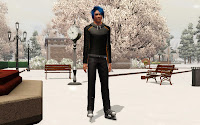
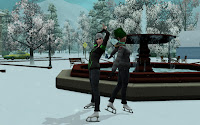
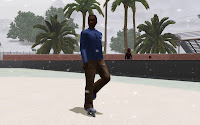
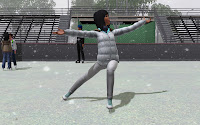
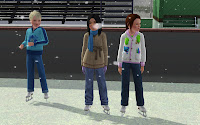
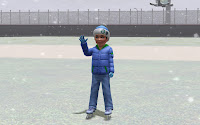
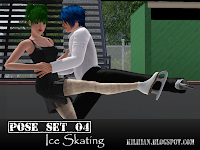
Pose Set N°04 - Ice Skating
And I finally finished my pack! You will need to use either Moon's skates (adults only and with OMSP) or mines (toddlers to adults) to be able to use those poses. You might have seen some of the poses when I posted the ice skate shoes, but I kept working on pretty much all of them, so they are 'slightly' different. I wanted to do more than that so there might be a second pack coming~
Friday, November 23, 2012
Set: Ice skating
SUBCATEGORIES:
- Clothing (shoes)
- Poses
Those are base game compatible for people who do not own Seasons EP.
If you have Seasons, use the cheat unlockOutfits on before entering CAS.
But EA didn't make skates for toddlers, the mesh is by me.

Ice skating poses made by other creators can be found at My Sims 3 Poses.
- Clothing (shoes)
- Poses
CLOTHING
NOTE:Those are base game compatible for people who do not own Seasons EP.
If you have Seasons, use the cheat unlockOutfits on before entering CAS.
But EA didn't make skates for toddlers, the mesh is by me.
POSES

Ice skating poses made by other creators can be found at My Sims 3 Poses.
Wednesday, November 7, 2012
Pose Set N°03 - Life as a witch
I guess I felt in the Halloween spirit after I finished my last chapter, and then I realised that we have tons of vampire poses, werewolf poses, fairy poses and other kind of supernatural creatures (most of them done way before Supernatural and even Late Night for vampires were out). But I still had to see one pose for witch.
So here it is, I made poses for witches!
Labels:
Book,
Broom,
Cauldron,
Pose Adult,
Pose Female,
Pose Male,
Pose Toddler,
poses,
Wand,
Witch
Saturday, October 20, 2012
Pose Set N°02 - Tinkerbell
These poses have been requested by Lizz Grace Roberts on Facebook.
After five days of tweaking fingers and arms, this is what I came up with. It's close enough to the original picture, except maybe for the two girls in the middle, I couldn't get their arms to lock without their body parts melting into each other, it became messy~
Tuesday, October 2, 2012
Pose Set N°01 - On Stage!
After taking a summer break, I am back with my first pose pack!
Those poses are meant to be used for singers and band members, and I probably will make more later.
Accessories used will be listed in the end of this post, and a link to the keyboard I modified to remove the seat is provided.
Includes 7 singer poses, 2 for harps, and 1 for guitar and keyboard.
Those poses are meant to be used for singers and band members, and I probably will make more later.
Accessories used will be listed in the end of this post, and a link to the keyboard I modified to remove the seat is provided.
Includes 7 singer poses, 2 for harps, and 1 for guitar and keyboard.
Subscribe to:
Posts (Atom)
How to install
Most of the time when possible I give you the possibility to install as either Sims3Pack or Package.
Pick up a format you rather use (poses can only be installed as Packages), and install it in your game:
If you use EA Launcher:
Sims3Packs
Place the .sims3pack file in your folder My Documents/Electronic Arts/The Sims 3/Downloads
Run the Launcher, click the Download panel on the left and select the files you want to install before pressing the Install button.
Note: You do not need to keep the file in this folder, it can be removed safely once installed and the Launcher/game is closed.
Packages
Place the .package file in your folder My Documents/Electronic Arts/The Sims 3/Mods/Packages
If you do not have or do not know how to set up the Mods folder, I wrote a tutorial here.
Note: If you have too many files in this folder you should consider merging them or it will make your game load and render slower. Aikea Guinea wrote a tutorial about it, see here.
If you use CC Magic:
This launcher manages both types, so you can place any .sims3pack and .package files you want in
My Documents/Electronic Arts/The Sims 3/Downloads
For those who don't know about it, you can find the installation here and a tutorial there.