Showing posts with label Contest. Show all posts
Thursday, April 25, 2013
Friday, February 8, 2013
Announce of the December 2012 Pose Contest Winner
I should have written this post some time ago, I have been back from Christmas break, but health problems are still keeping me away from coming back 'completely'. I could find the time, but my mind is on other problems that I have to deal with for now.
First of all Yuki and I are thanking everyone who took the time to participate to the contest! We have received some very good poses/pictures, and it's been tough to take a decision, but it's the point of a contest, right?
So we are congratulating Ais Williams for winning. There was some minor problems with joints but overall the poses themselves are good and the emotion can be felt. Be careful on details, but great job indeed! I have let MS3P know about the results but they don't seem to be active yet.
Originally I meant to leave a comment for everyone about their poses (if there was anything to be said or ways to correct some things), but it's been more than a month and most of you will have improved by now if you practiced. Still, if you wish to get our opinion about your work, let us know and we will find the time to post something.
Thank you again everyone, and we hope to see you participate again!
You can find all of the other contestant pictures in this folder on facebook.
First of all Yuki and I are thanking everyone who took the time to participate to the contest! We have received some very good poses/pictures, and it's been tough to take a decision, but it's the point of a contest, right?
So we are congratulating Ais Williams for winning. There was some minor problems with joints but overall the poses themselves are good and the emotion can be felt. Be careful on details, but great job indeed! I have let MS3P know about the results but they don't seem to be active yet.
Originally I meant to leave a comment for everyone about their poses (if there was anything to be said or ways to correct some things), but it's been more than a month and most of you will have improved by now if you practiced. Still, if you wish to get our opinion about your work, let us know and we will find the time to post something.
Thank you again everyone, and we hope to see you participate again!
You can find all of the other contestant pictures in this folder on facebook.
Monday, December 24, 2012
Wednesday, December 12, 2012
Christmas 2012 Pose Contest at Poses Realm - Creative Garden
Because we opened the group a bit more early than I first planned, I had to rush a 'bit' to prepare this contest, so the poses I have done to use as examples need a lot of fixing, and I hope you will forgive me for that! I promise I will do it before publishing a pack of contests poses, and we will take our time to prepare the next one!
Thursday, December 6, 2012
Opening of The Poses Realm - Creative Garden
So for the last few days I ended up not working on my story at all while setting up this group on Facebook with my wonderful friend Yuki. I will have to work harder to get my next chapter out for Christmas, I am not sure if I can get two, but I will try!

Clicking the picture will send you to the group where you can request to join.
I already posted several more tips for Blender. Links were added at the end of the fourth part of the tutorial, but I might as well add them here too at the end of the post. We are also going to host a pose contest every month if we can; there will be only one set of pose (single, couple, groups, family, ...) each time and no obligation to join every contest.
Yuki and I will judge the submitted pictures based on your work, not your 'celebrity'.
My Sims 3 Pose is sponsoring us and will feature winners for a month or until a new winner is announced!
So if you are beginning to make poses or would like to improve your skills in general, don't hesitate to ask questions or post pictures of WIP, we will let you know what points you would have to work on to make your pose look better.
If you are more advanced then join the contest for some fun and challenging moment!
First contest should be announced 'soon' but theme might be Christmas, we have to look into it.
Links posted already:
Blender: About enabling animation plugin or rig deformed
Making poses: Naming your poses
Making poses: Making your poses 'snap' together
Making poses: Using props as accessories
Remember that your poses need a unique name!

Clicking the picture will send you to the group where you can request to join.
I already posted several more tips for Blender. Links were added at the end of the fourth part of the tutorial, but I might as well add them here too at the end of the post. We are also going to host a pose contest every month if we can; there will be only one set of pose (single, couple, groups, family, ...) each time and no obligation to join every contest.
Yuki and I will judge the submitted pictures based on your work, not your 'celebrity'.
My Sims 3 Pose is sponsoring us and will feature winners for a month or until a new winner is announced!
So if you are beginning to make poses or would like to improve your skills in general, don't hesitate to ask questions or post pictures of WIP, we will let you know what points you would have to work on to make your pose look better.
If you are more advanced then join the contest for some fun and challenging moment!
First contest should be announced 'soon' but theme might be Christmas, we have to look into it.
Links posted already:
Blender: About enabling animation plugin or rig deformed
Making poses: Naming your poses
Making poses: Making your poses 'snap' together
Making poses: Using props as accessories
Remember that your poses need a unique name!
Wednesday, December 14, 2011
I decided to enter a Christmas contest!
Christmas contest Come and vote for the pictures you like!
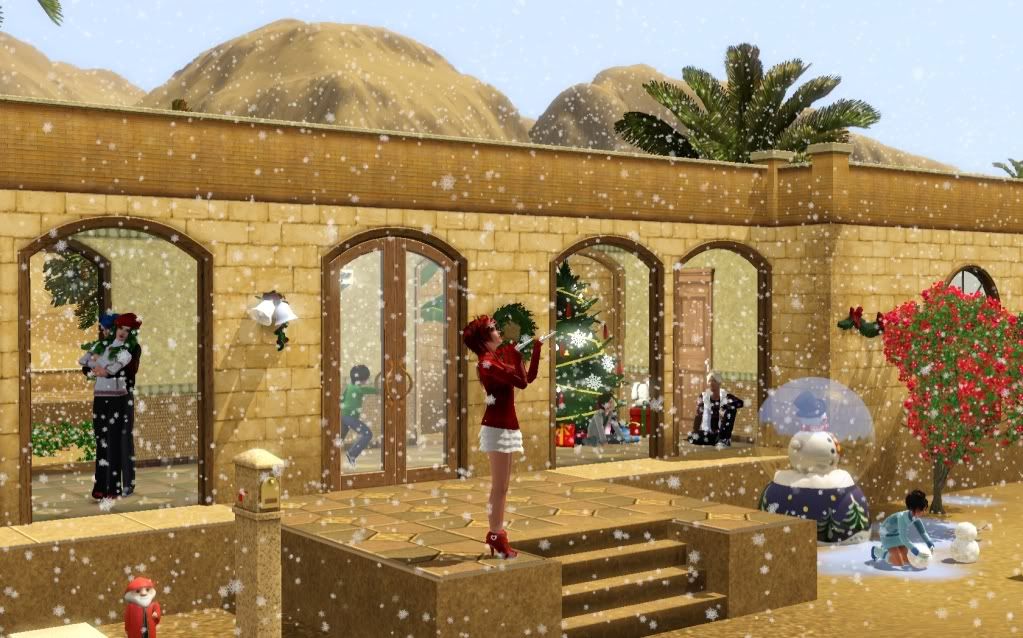
And so after several days working on the game, this is the picture I submitted!
There was no editing done (as a personal choice), after all I really like how the game can look if you are patient enough! Though sometimes it likes to play tricks on me :p
And so after several days working on the game, this is the picture I submitted!
There was no editing done (as a personal choice), after all I really like how the game can look if you are patient enough! Though sometimes it likes to play tricks on me :p
Subscribe to:
Posts (Atom)
How to install
Most of the time when possible I give you the possibility to install as either Sims3Pack or Package.
Pick up a format you rather use (poses can only be installed as Packages), and install it in your game:
If you use EA Launcher:
Sims3Packs
Place the .sims3pack file in your folder My Documents/Electronic Arts/The Sims 3/Downloads
Run the Launcher, click the Download panel on the left and select the files you want to install before pressing the Install button.
Note: You do not need to keep the file in this folder, it can be removed safely once installed and the Launcher/game is closed.
Packages
Place the .package file in your folder My Documents/Electronic Arts/The Sims 3/Mods/Packages
If you do not have or do not know how to set up the Mods folder, I wrote a tutorial here.
Note: If you have too many files in this folder you should consider merging them or it will make your game load and render slower. Aikea Guinea wrote a tutorial about it, see here.
If you use CC Magic:
This launcher manages both types, so you can place any .sims3pack and .package files you want in
My Documents/Electronic Arts/The Sims 3/Downloads
For those who don't know about it, you can find the installation here and a tutorial there.
Pick up a format you rather use (poses can only be installed as Packages), and install it in your game:
If you use EA Launcher:
Sims3Packs
Place the .sims3pack file in your folder My Documents/Electronic Arts/The Sims 3/Downloads
Run the Launcher, click the Download panel on the left and select the files you want to install before pressing the Install button.
Note: You do not need to keep the file in this folder, it can be removed safely once installed and the Launcher/game is closed.
Packages
Place the .package file in your folder My Documents/Electronic Arts/The Sims 3/Mods/Packages
If you do not have or do not know how to set up the Mods folder, I wrote a tutorial here.
Note: If you have too many files in this folder you should consider merging them or it will make your game load and render slower. Aikea Guinea wrote a tutorial about it, see here.
If you use CC Magic:
This launcher manages both types, so you can place any .sims3pack and .package files you want in
My Documents/Electronic Arts/The Sims 3/Downloads
For those who don't know about it, you can find the installation here and a tutorial there.